Pet portraits
Halloween pet photo editor
A pet costume is only cute if the pet still looks like your pet. This workflow preserves the breed, fur, markings, eyes, and expression while adding a soft, wearable Halloween costume.
Updated 2026-10-20
Pet costume searches peak around Halloween because people want a shareable photo without stressing the animal. A generated portrait is a low-stress way to try a look. It is not a substitute for a real costume fitting, and it should never be used to imply that a pet wore something uncomfortable.
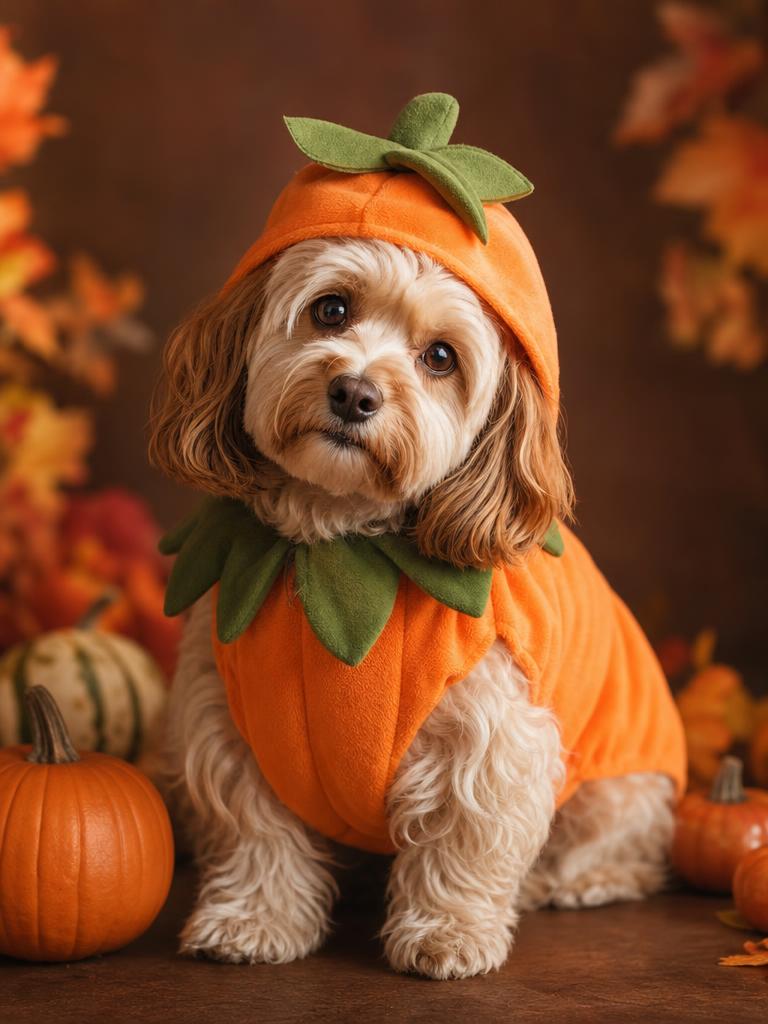
The Pumpkin Pet preset is a complete recipe for a soft pumpkin costume, a warm autumn studio, and realistic fur. The prompt explicitly protects the animal’s species, markings, eye color, and anatomy.
The looks on this page
Each image is a GPT Image 2 concept asset. Each preset has a readable prompt and a real upload-and-generate path.
Seasonal workspace
Try the look
JPG, PNG or WebP · up to 10 MB · 1 credit only after success
A soft pumpkin costume that keeps the pet recognizable.
Prompt recipe
Use the uploaded pet photo as the primary reference. Preserve the animal's original breed, fur color, distinctive markings, eye color, facial appearance and natural anatomy. Dress the pet in a soft pumpkin-inspired Halloween costume with a small green leaf accessory. Keep the costume fitted naturally without covering the animal's eyes or changing its species. Place the pet in a cozy autumn photography studio with warm lighting and miniature pumpkins. Create a photorealistic professional pet portrait with realistic fur texture and natural shadows. Avoid extra animals, unnatural paws, duplicated limbs, text and watermarks.
New accounts get 5 free credits. Sign in to use them.
Why pet edits fail
The most common failure is a species change. A model sees “dinosaur costume” and turns a dog into a dinosaur, or sees “pumpkin” and replaces the pet’s face with a pumpkin. The prompt has to separate the animal from the costume.
The second common failure is anatomy. Extra paws, duplicated limbs, and costumes that merge into fur are signs that the model is inventing rather than editing. Inspect the paws and the edge of the costume at full size.
The 2026 pet costume signals
The research surfaced Baked Potato, Glow in the Dark Dinosaur, Stick of Butter, Christmas Tree, and Headless Horseman as pet costume directions. Some are visually simple and work well as an AI portrait. Others depend on a physical prop or a glow effect that a still image cannot verify.
Start with a silhouette that reads at thumbnail size: a pumpkin, a butter stick, a dinosaur hood, or a baked potato. A costume that needs a small label or a specific material is harder to judge in a generated image.
A better pet photo
Photograph the pet at eye level with a clear view of the face. Avoid a photo where the animal is moving quickly or the fur blends into the background. A calm expression and a simple background give the model a better chance of preserving the markings.
If the pet has a distinctive eye color, heterochromia, a missing ear, or a patterned coat, say so in a custom prompt. The preset protects the general appearance, but explicit details are more reliable than hoping the model notices them.
- One pet per photo.
- Face and chest visible; no hand covering the muzzle.
- Natural light or soft indoor light.
- Do not use a photo where the pet is visibly stressed.
Pumpkin Pet prompt, explained
The recipe starts with the pet photo as the primary reference. It preserves breed, fur color, markings, eye color, facial appearance, and natural anatomy. It adds a soft pumpkin-inspired costume with a green leaf, then places the pet in a warm autumn studio.
The negative list is just as important: no extra animals, no unnatural paws, no duplicated limbs, no text, and no watermark. Those constraints target the failure modes that make a pet portrait look uncanny.
Share responsibly
Label the image as an AI preview if you post it. Do not claim that your pet wore a costume that it did not wear. If you are making a product mockup, use the image as a concept and photograph the real product separately.
For a real costume, choose a soft, breathable material, avoid anything that covers the eyes or restricts movement, and supervise the pet. A generated portrait is not veterinary or safety advice.
Questions about halloween pet photo editor
Can I make a glow-in-the-dark dinosaur pet portrait?
The current workspace includes the Pumpkin Pet preset. The prompt library includes a glow-dinosaur recipe you can copy into another model, and more pet presets can be added without changing the page structure.
Will the pet’s markings stay the same?
The prompt asks the model to preserve them, but results vary. Check the face, chest, and paws against the source photo.
Can I upload a photo with two pets?
The current preset expects one pet. Two animals make it harder to preserve both identities and often produces duplicated anatomy.
Is this safe for the pet?
The image workflow does not involve the animal. For a real costume, follow the same safety rules you would use for any garment: fit, breathability, visibility, and supervision.
Start with one photo
See the look before you commit to the costume.
New accounts get five free credits. A completed image uses one; a failed job releases the reservation.